
Grok Imagine is Now Available on fal

We’re excited to introduce Grok Imagine, a new multimodal release that brings five new model endpoints to a single creative stack, covering both generation and editing across image and video workflows. With these additions, teams can move faster from idea to polished output, whether they’re generating assets from scratch or transforming existing media with precise, instruction-based edits.
At the core of this release is a full generation stack that supports text-to-image, image editing, and a full range of video generation and video editing workflows. Grok Imagine also adds native audio video generation, making it possible to create richer, fully synchronized clips without relying on separate tools or post-production stitching.
Built for speed and quality, Grok’s video models support 480p and 720p generation. This marks xAI's biggest launch of generative models, and in this blog we're going to go through all models launched in detail, analyze their core strengths and use cases unlocked.
Model Overview
Key Model Strengths
Cinematic Aesthetic
Grok Imagine’s cinematic outputs stand out because the acting reads as believable, the lighting stays physically consistent, and the focus behaves naturally. Characters move with coherent body language and timing, scenes maintain stable exposure and sensible light direction, and the camera’s depth-of-field pulls attention the way you’d expect from a real lens.
What’s especially useful is that this “cinematic look” holds across both realistic renders and stylized generations: the model keeps the same discipline around exposure, depth-of-field, and composition even as the art direction changes.
Can AI be cinematic? A short collection of the best cinematic outputs produced exclusively with Grok Imagine image and video generation models
Native Audio Generation
Grok Imagine can generate video with native audio, so the final output includes sound that is perfectly synchronized with the video. This is useful for building clips that don't need post-processing.
Native audio supports dialogue between multiple characters, with distinct turns and pacing that match the scene. Key capabilities include:
- Natural back-and-forth: clear conversational timing (interruptions, pauses, reactions)
- Character separation: different voices/tones per speaker, suitable for two-person (or more) scenes
- Scene-aware delivery: dialogues are expressive and tonality aligns well with the moment
Style Adaptation
Grok Imagine’s style adaptation is production-ready, especially for anime workflows. In the text-to-image example, Grok Imagine shows strong prompt adherence: the style stays uniform across the entire frame, fine design elements remain coherent, and the final image lands with a clean, high-end aesthetic.
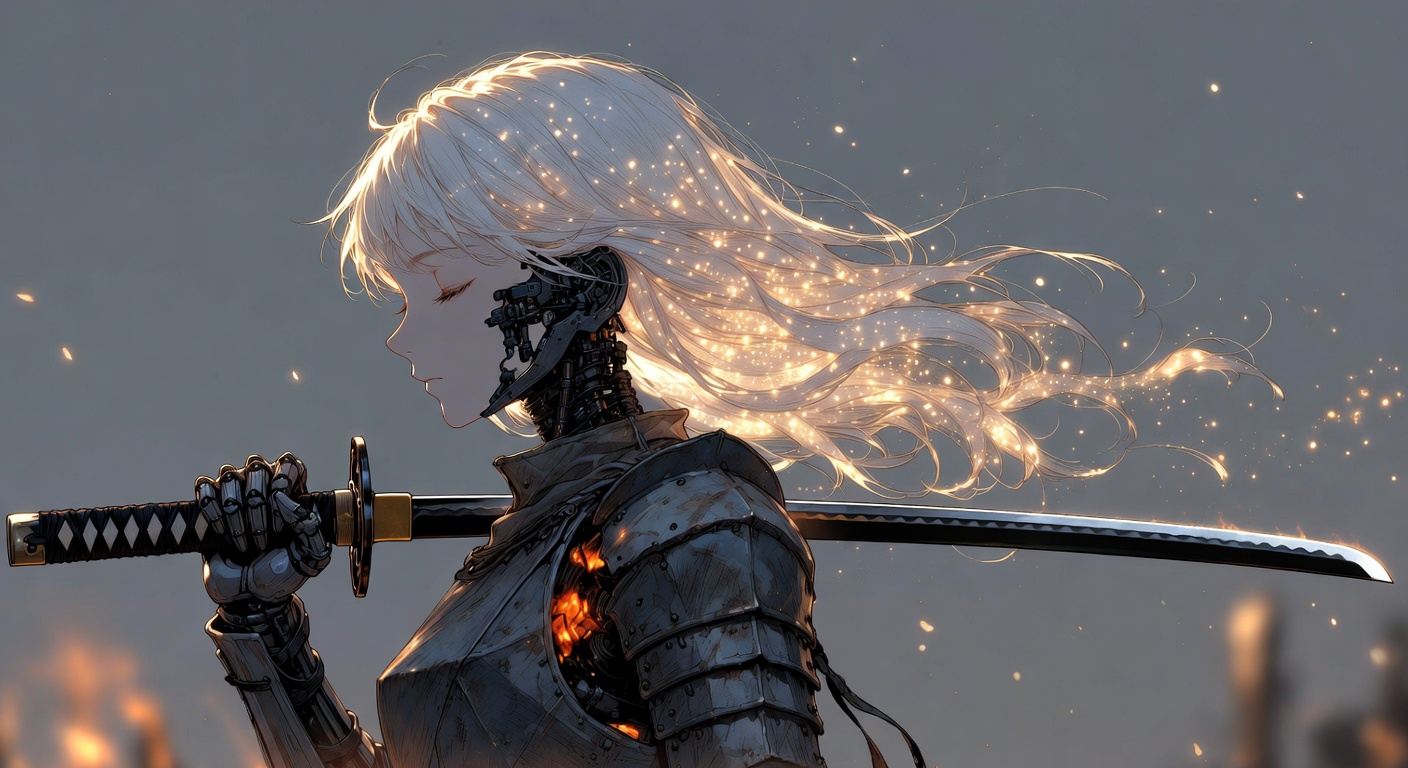
In the video example, the anime output holds up in motion with realistic mouth movement and tight synchronization alongside consistently beautiful visuals.
Advanced World & Physics Understanding
Grok Imagine shows strong world and physics understanding, producing scenes that feel coherent rather than “animated on top” of reality. It handles motion, timing, and material behavior reliably.
In the ball-drop example below, the VFX are tightly synchronized with the impacts: each bounce lands with the right cadence, and the effect triggers exactly when the ball contacts the surface. The audio also matches the materials convincingly; a heavier, sharper metallic ring for the metal ball and a denser, clacking marble sound that sells weight and texture.
A subtle but telling detail is the ball’s reflections: the cameraman's reflection appears on the ball and grows larger as it rolls closer, even though that wasn’t specified in the prompt. That kind of “unasked-for” physical correctness is a strong signal that the model is tracking the scene’s geometry, viewpoint, and reflective surfaces not just generating motion frame-by-frame.
A shiny marble ball, polished to a mirror-like finish, begins rolling down a grand staircase. The steps are made of smooth stone, illuminated by soft ambient light that casts delicate shadows. The camera follows the marble in a dynamic tracking shot, capturing the way it bounces gently from step to step, producing subtle echoes as it strikes the surface. Reflections ripple across the marble’s surface, mirroring the staircase and surroundings as it descends. The motion feels natural, with a sense of gravity and momentum, as the ball continues its path downward in a hypnotic, almost meditative rhythm.
Use Case Spotlight
Video Game Animation & Ads
Grok Imagine is a strong fit for video game content generation, especially when the goal is to produce clips that look and feel like real gameplay. In the video examples below, we show a compilation of 20+ distinct game-style clips spanning different characters, camera angles, and environments.
What stands out is the consistency of game-specific structure alongside smooth motion. Across very different scenes, the animation remains stable and fluid, and common UI elements like the minimap and other HUD components appear in the correct positions and feel naturally integrated.
This kind of spatial and layout consistency matters for game content because it preserves the “game look” even as environments and characters change. This consistency makes Grok Imagine image and video models perfect for video game ad creatives and video ads.
Endpoints
- Grok Imagine text-to-image: https://fal.ai/models/xai/grok-imagine-image/
- Grok Imagine image-to-image (image editing): https://fal.ai/models/xai/grok-imagine-image/edit
- Grok Imagine text-to-video: https://fal.ai/models/xai/grok-imagine-video/text-to-video
- Grok Imagine image-to-video: https://fal.ai/models/xai/grok-imagine-video/image-to-video
- Grok Imagine video-to-video (video editing): https://fal.ai/models/xai/grok-imagine-video/edit-video
Getting Started with Grok Imagine
The easiest way to explore Grok Imagine's capabilities is through fal's Playground, where you can experiment with prompts and see immediate results. A detailed guide on how to integrate Grok Imagine into your platform is available in our API documentation.
Stay tuned to our Reddit, blog, X, or Discord for the latest updates on generative media and new model releases!