
Connect your AI to 1,000+ models with the fal MCP Server
Today we're launching the fal MCP Server — a hosted endpoint that lets any AI assistant search, run, and chain 1,000+ generative AI models directly from a conversation.
One command. No SDK. No docs to read.
What is it?
The Model Context Protocol (MCP) is an open standard that lets AI assistants use external tools. Our MCP server gives assistants like Claude, Cursor, and Windsurf direct access to the entire fal platform — image generation, video, audio, 3D, upscaling, and more.
Your assistant doesn't just generate code that calls fal. It actually calls fal.
Setup
Claude Code:
claude mcp add --transport http fal-ai \
  https://mcp.fal.ai/mcp \
  --header "Authorization: Bearer $FAL_KEY"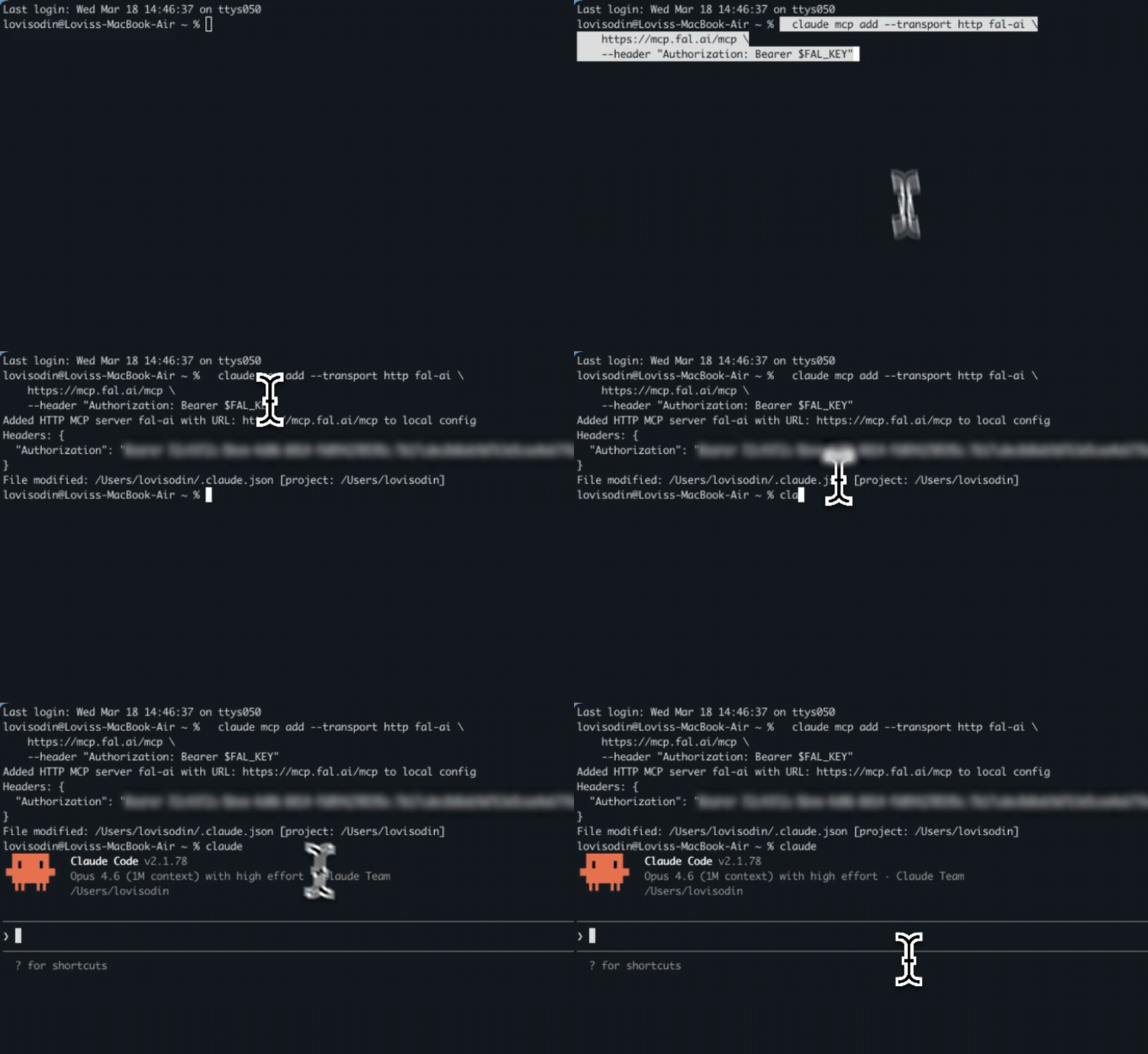
Claude Desktop or Cursor — add this to your MCP config:
{
  "mcpServers": {
    "fal-ai": {
      "url": "https://mcp.fal.ai/mcp",
      "headers": {
        "Authorization": "Bearer YOUR_FAL_KEY"
      }
    }
  }
}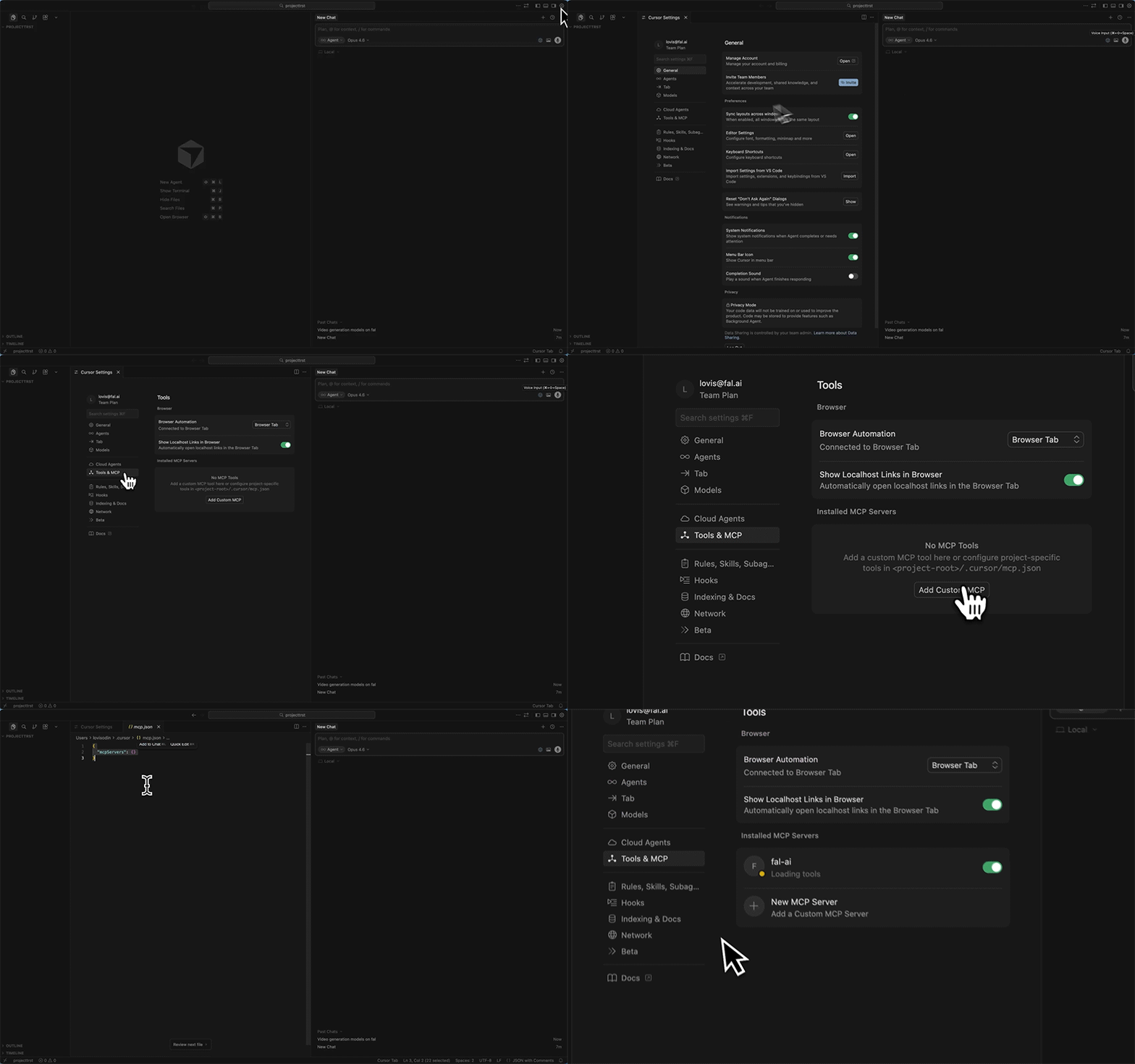
That's it. Your assistant now has access to every model on fal.
9 tools, zero configuration
The MCP server exposes 9 tools that your assistant picks automatically:
Discovery
search_models— Search 1,000+ models by keyword or categoryget_model_schema— Get full input/output parameters for any modelget_pricing— Check costs before runningsearch_docs— Search fal documentation for guides and examples
Execution
run_model— Run any model and return the resultsubmit_job— Submit long-running jobs (video, 3D, training)check_job— Check status, get results, or cancel
Utility
upload_file— Upload files to fal's CDN for model inputrecommend_model— Describe what you want and get model recommendations
What can you do with it?
Generate images with the best model
Ask your assistant to generate an image. It searches the catalog, finds the most suitable model, checks the parameters, and runs it — all in one turn.
"Generate a photorealistic portrait of a woman in a wheat field at golden hour"
The assistant picks the model. You describe the result.
Chain LLM + image generation
Bad at writing prompts? Let an LLM do it.
"Expand this idea into a detailed prompt and generate the image: a cozy Japanese coffee shop in the rain"
The assistant runs an LLM to write a detailed prompt with lighting, camera angle, and mood — then generates the image with it. The result is dramatically better than a simple prompt.
Image to video
"Take this photo and turn it into a 5-second cinematic video with a slow zoom"
Upload → model selection → queue management → result. All handled automatically.
Full creative pipeline
"Create a product ad for Aurora headphones: write a tagline, generate a product image, and create a voiceover"
Three models chained in one conversation: LLM writes the copy, image model generates the visual, TTS model reads the tagline. You get all the URLs back.
Compare models
"Compare two image models for a minimalist logo on white background"
Run both, see both results. Model benchmarking in one sentence.
Check pricing
"How much does it cost to generate images with FLUX and videos with Kling 3.0?"
Know the cost before you spend.
Complex workflows
"Generate a futuristic Tokyo street, upscale it to 4K, and describe what's in it using a vision model"
Chain generation → upscaling → analysis in a single conversation.
How it works
The MCP server is fully stateless and hosted on Vercel. Each request is isolated:
- Your AI assistant sends a request to
mcp.fal.aiwith your API key - The server calls the fal Platform API on your behalf
- Results are returned to your assistant
Your API key is sent per-request in the Authorization header and is never stored. The server has no sessions, no state, and no access to anything beyond what the public fal API provides with your key.
Get started
- Get your API key
- Run the setup command for your client
- Ask your assistant to generate something
The MCP server is free. You only pay for the model runs you trigger, at standard fal pricing.