
Comparing the Best AI Upscalers for Video and Images
In any modern AI creative workflow, upscalers play a critical post-processing role. They take the raw generations from diffusion or generative video models (often limited to 720p resolution) and convert them into production-ready assets suitable for film, design, or print.


In any modern AI creative workflow, upscalers play a critical post-processing role. They take the raw generations from diffusion or generative video models (often limited to 720p resolution) and convert them into production-ready assets suitable for film, design, or print.
This task is deceptively complex. Upscalers must hallucinate detail that wasn’t present in the source while keeping textures, lighting, and color integrity intact. Overdoing sharpness leads to unnatural, over-processed looks, while underdoing it results in soft or blurry outputs. Achieving the perfect balance between realism and enhancement is what separates great upscalers from average ones.
In this post, we’ll dive into a side-by-side comparison of the most capable upscalers available today across both video and still imagery. You’ll see how each one performs in terms of texture reconstruction, face detail, and motion consistency, and what tradeoffs to consider when picking the right tool for your workflow.
Video Upscalers
When it comes to upscaling video, the challenge goes beyond simple resolution enhancement. Unlike single-frame image upscaling, video requires temporal consistency, maintaining visual coherence across consecutive frames without flicker, ghosting, or inconsistent sharpening.
To evaluate how well each model handles this, we tested Simalabs, Topaz, SeedVR and Bytedance upscalers on a 720p video of a fox in the snow, focusing on edge separation, fine texture fidelity, and background stability. These upscalers can increase resolution up to 4x, but for this particular test we applied a 2x enhancement.
SimaLabs
Sima Labs’ model produces a clear and naturally balanced upscale. The fur texture gains definition without appearing over-processed, and the subject (the fox) stands out with excellent separation from the snowy background. There’s a good sense of depth — the contours remain soft where they should, yet crisp enough to feel intentional.
Topaz
Topaz delivers a highly detailed upscale, clearly emphasizing surface texture. The fur gains sharper definition, the snow contrast becomes more pronounced, and color tones appear slightly richer. The colour of the fox's fur looks realistic and there is great seperation between the hairs.
SeedVR
SeedVR’s upscaler hits a nice middle ground. It maintains strong sharpness and contrast, but with a more measured approach to enhancement. Textures look authentic, you can see fur clusters, not just edge sharpening. Snow particles remain visible with a clear seperation from the background.
Bytedance
Temporal alignment is excellent; the output maintains consistent light diffusion and smooth transitions. The upscaler also handles fine particle motion (like drifting snowflakes) impressively, reconstructing them with added sparkle and depth instead of flattening them into noise. Details in the face and eyes of the fox look sharp, and everything connects to make this output stand out.
Image Upscalers
Faces and people
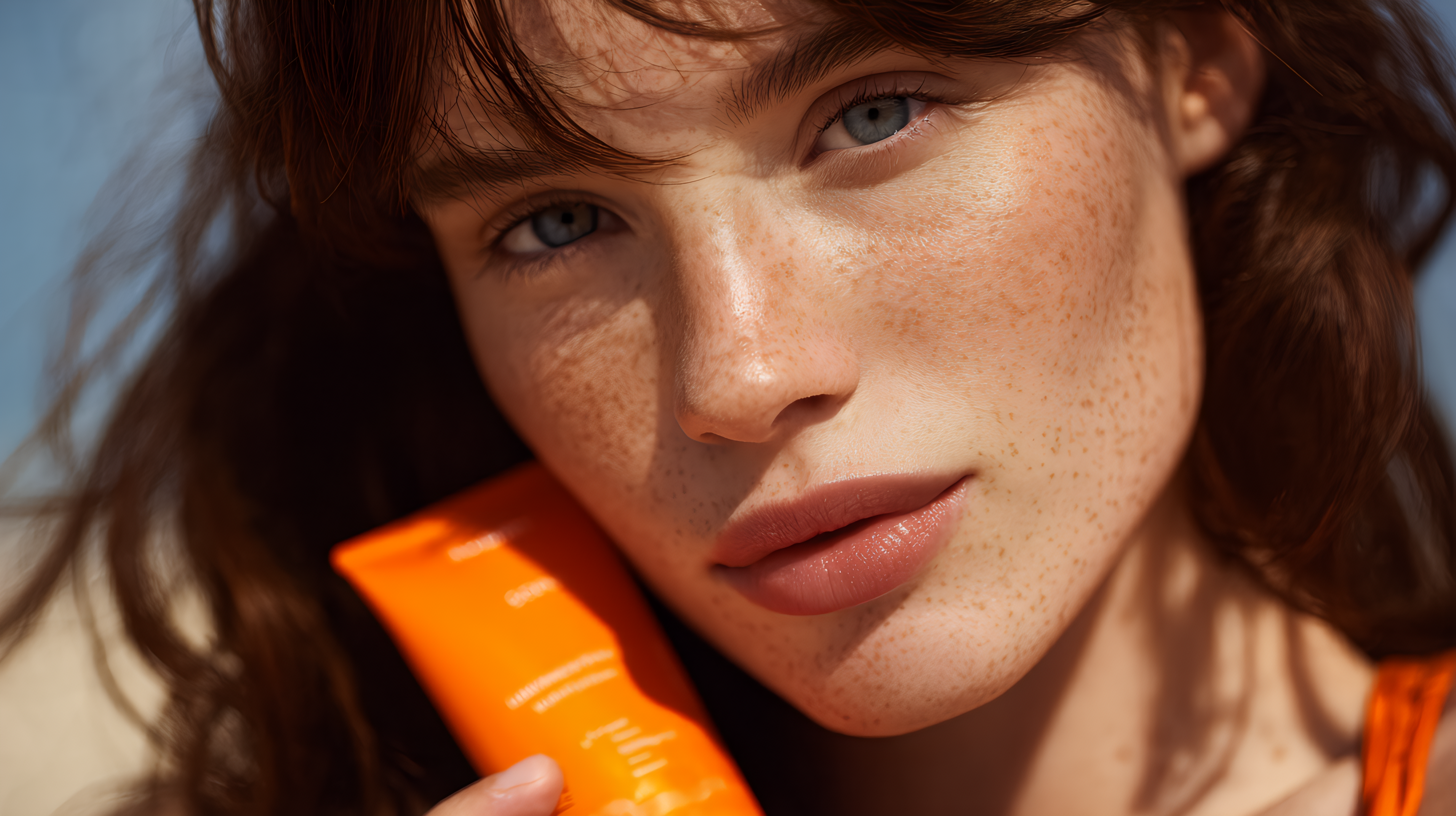
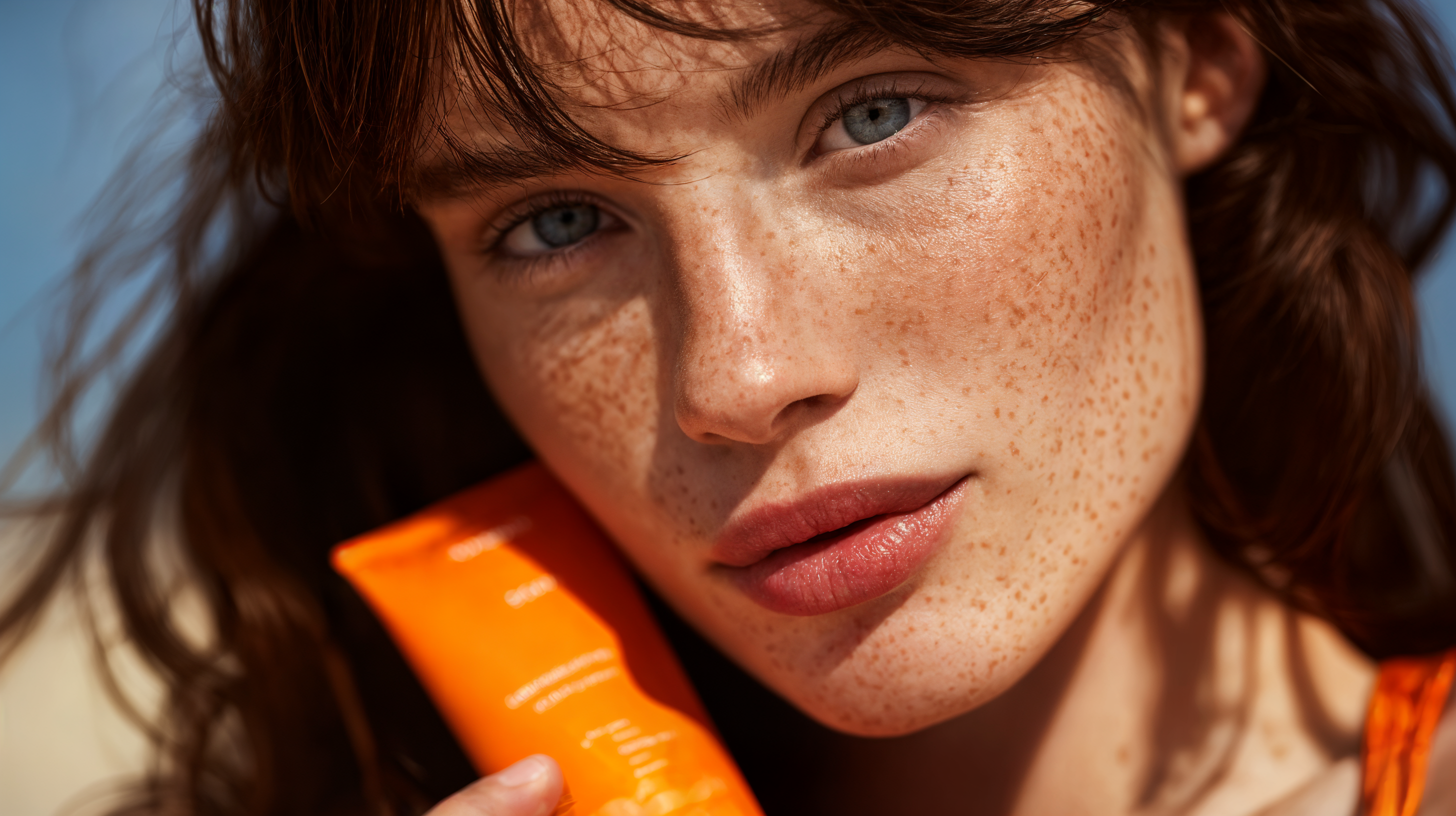
Sima Labs produces a clean and balanced upscale with excellent handling of texture detail. It enhances hair definition, revealing subtle strands and volume without introducing haloing or noise. The skin looks smooth and natural, though the process slightly reduces the visibility of freckles, giving the face a more polished aesthetic.
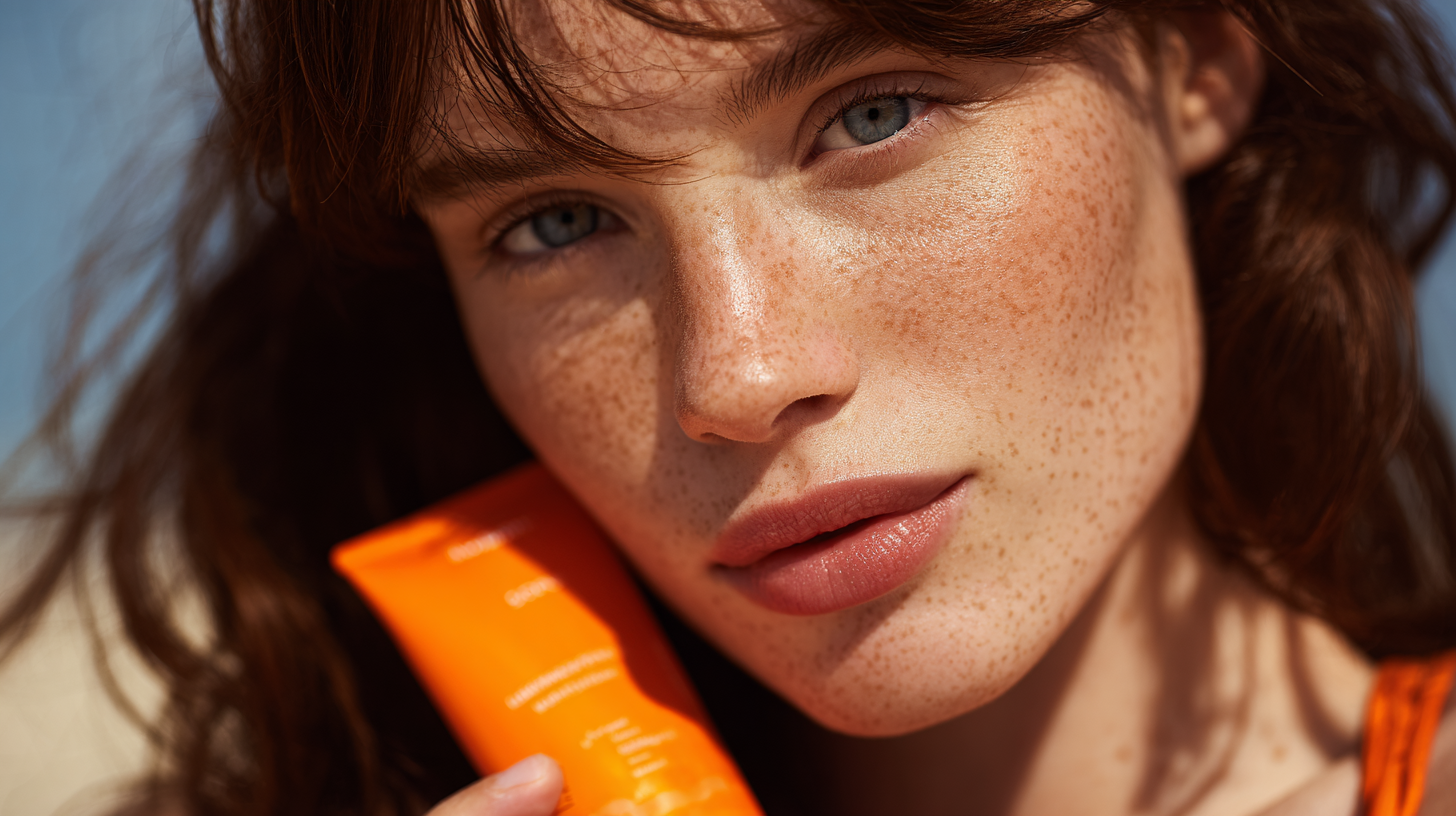
Topaz delivers strong resolution enhancement, but at the cost of facial realism. The freckles are significantly softened, and the lighting glare across the skin becomes more pronounce. The eyes, while sharp, look synthetic, and the lips appear overly smooth, disrupting the organic look of the original image.
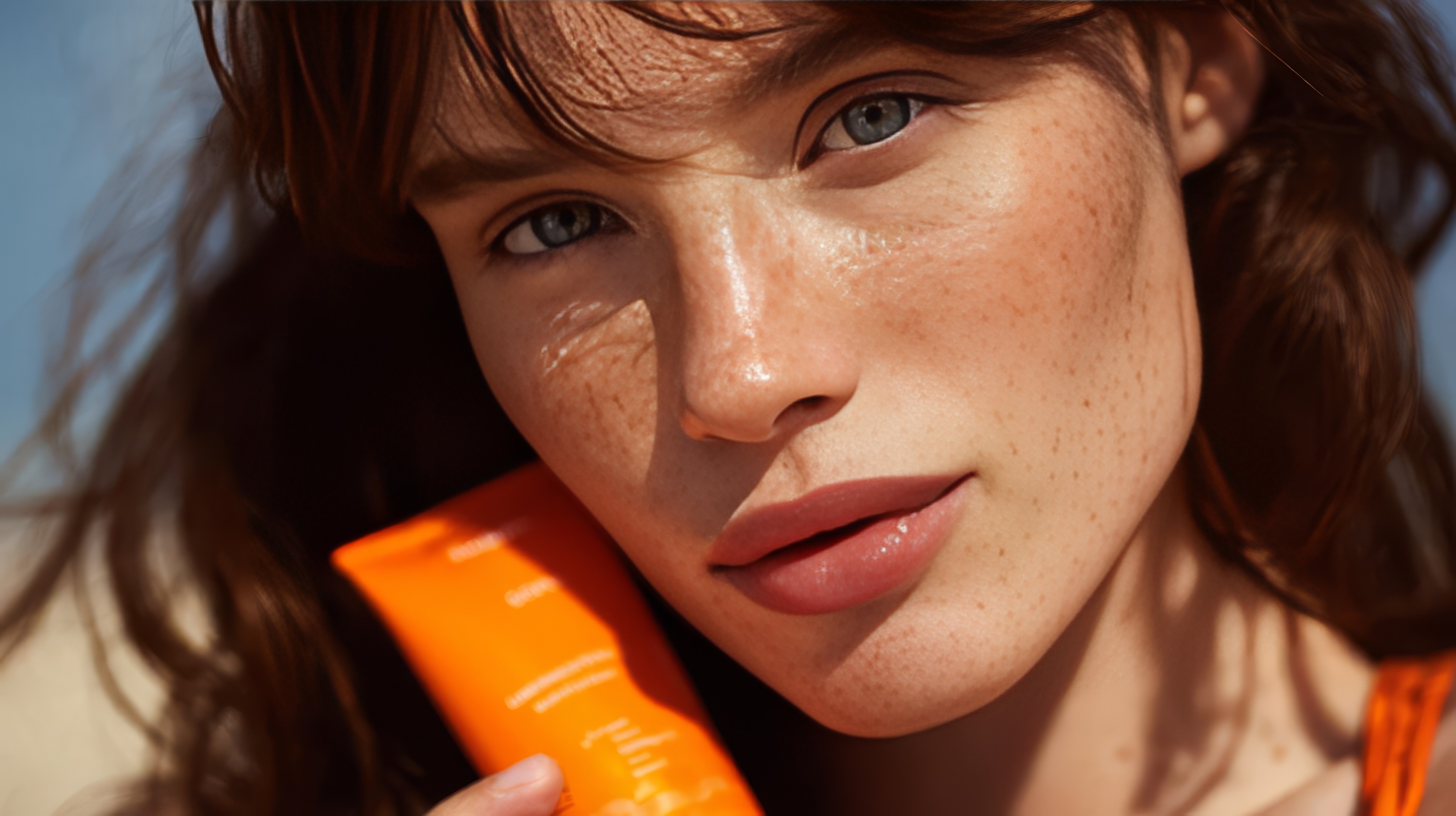
Recraft excels at preserving natural facial structure and tone. The freckles remain well-defined and consistent with the input, and the eyes retain a realistic, detailed look without introducing sharpness artifacts. Skin tones stay cohesive, maintaining that organic, slightly textured finish that conveys depth rather than smoothness.
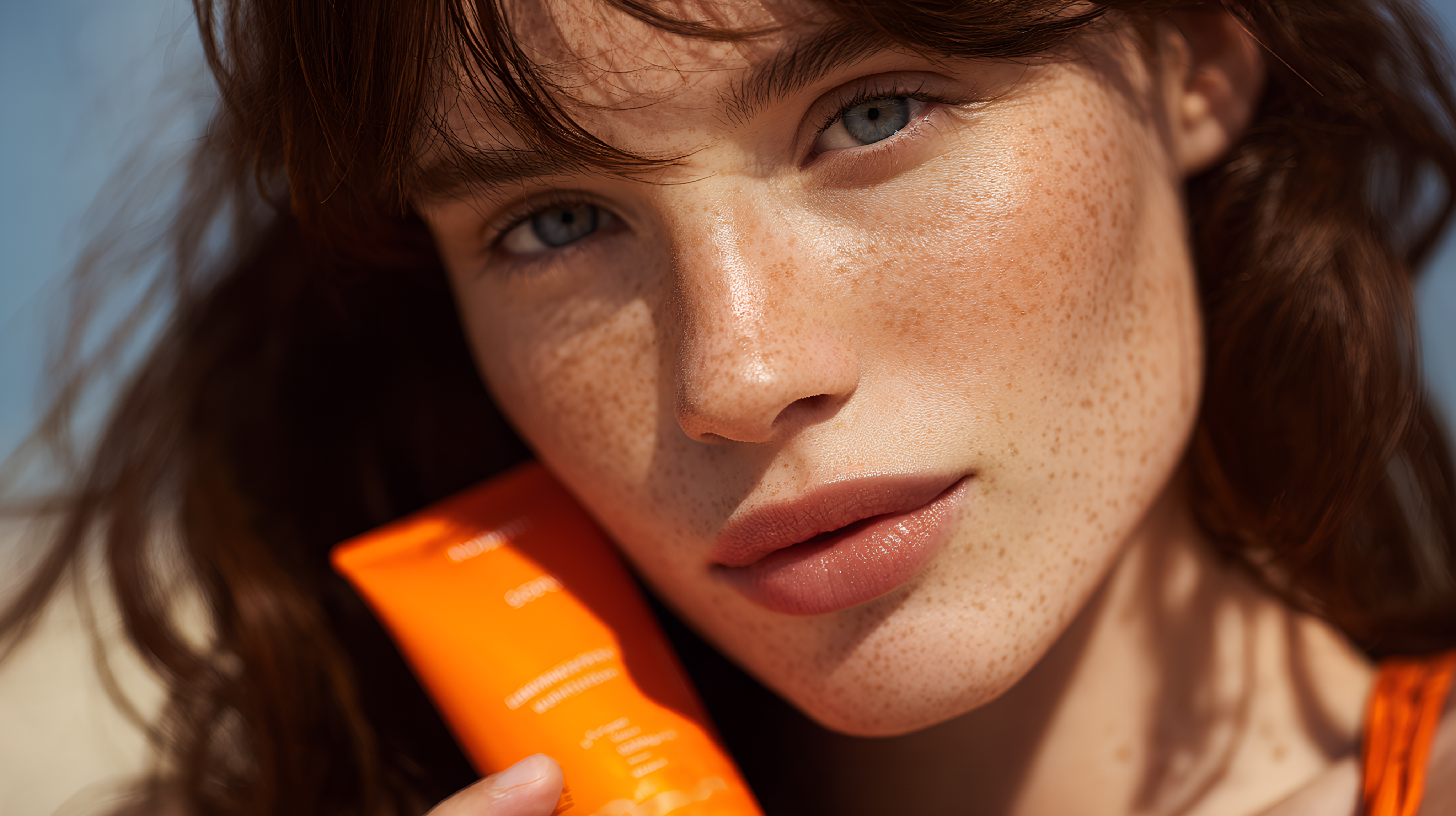
SeedVR produces exceptionally high-quality results, enhancing fine textures while maintaining lifelike color and tone. The skin shows realistic stretch and pore detail, and the lips gain richness and structure without breaking the natural shading of the face.
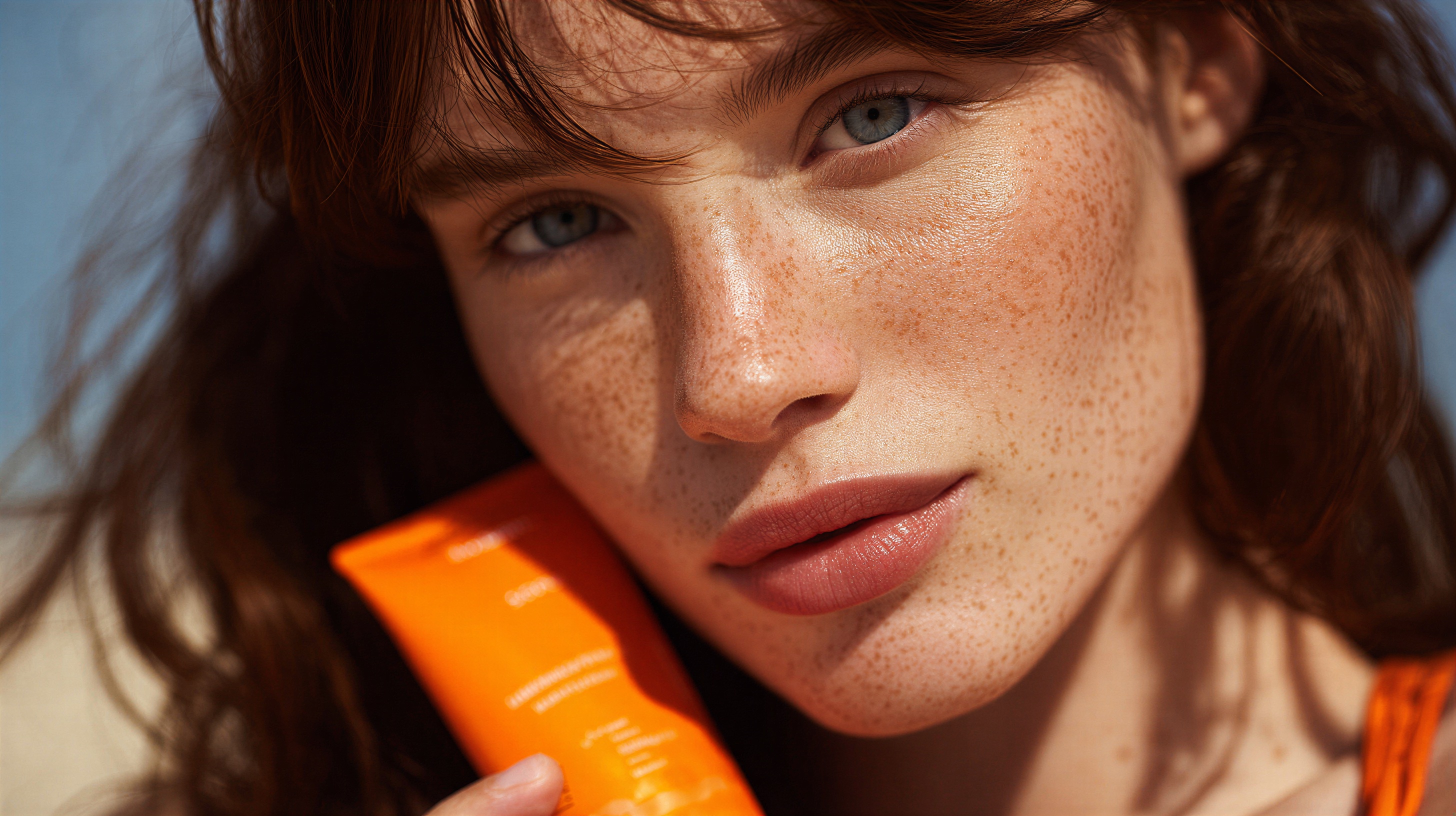
Clarity delivers a vivid, detailed upscale that focuses on color fidelity and surface enhancement. The eye tones become more striking, with noticeable improvement in iris contrast and depth. The freckles are enhanced rather than removed, resulting in a natural, expressive look.
Product and Text Consistency
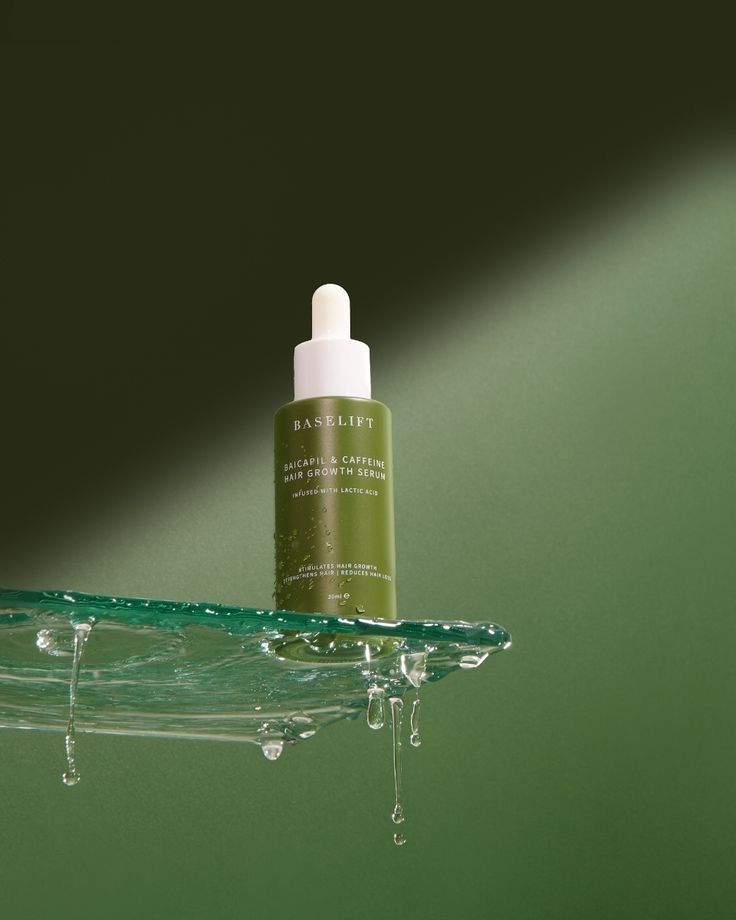
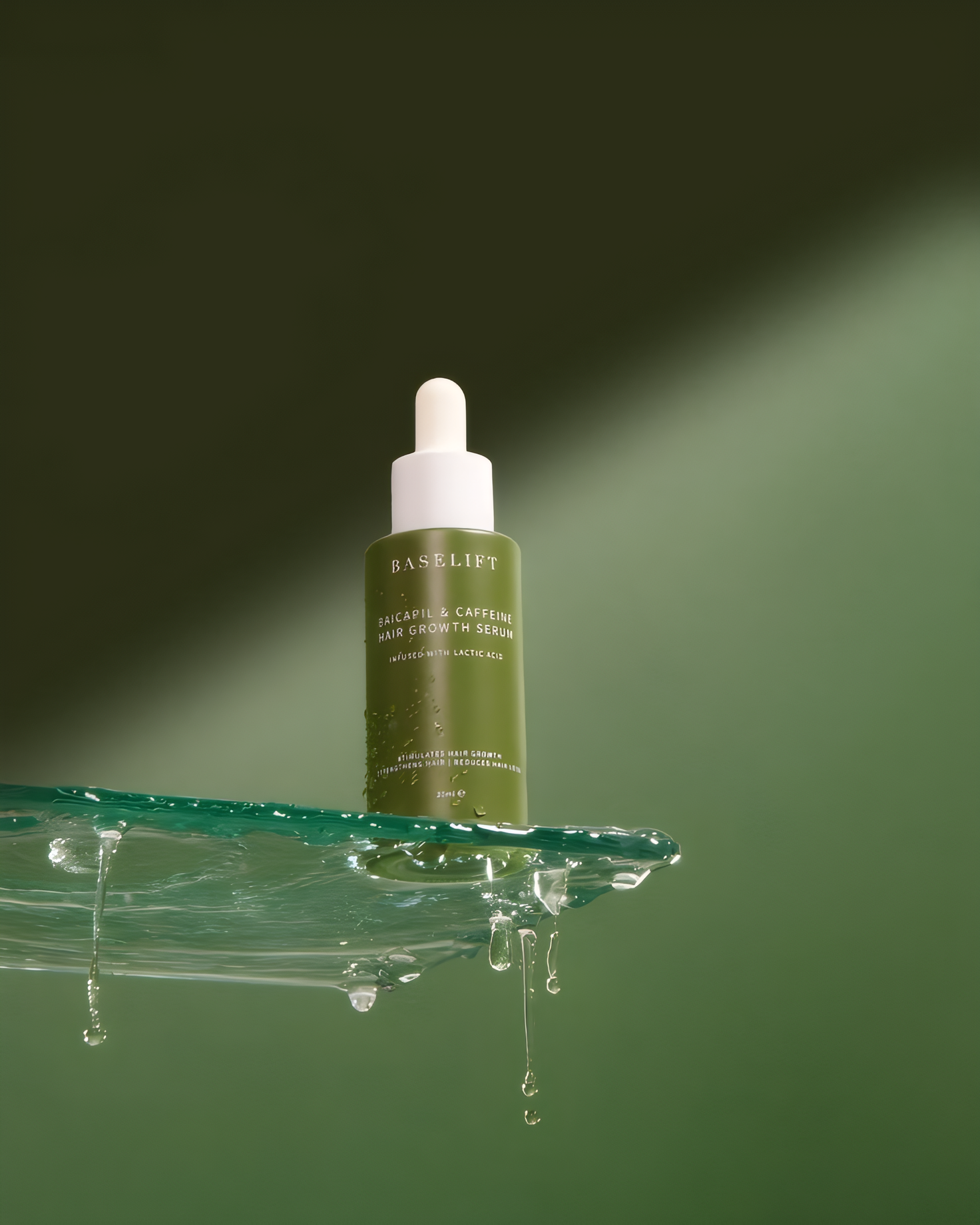
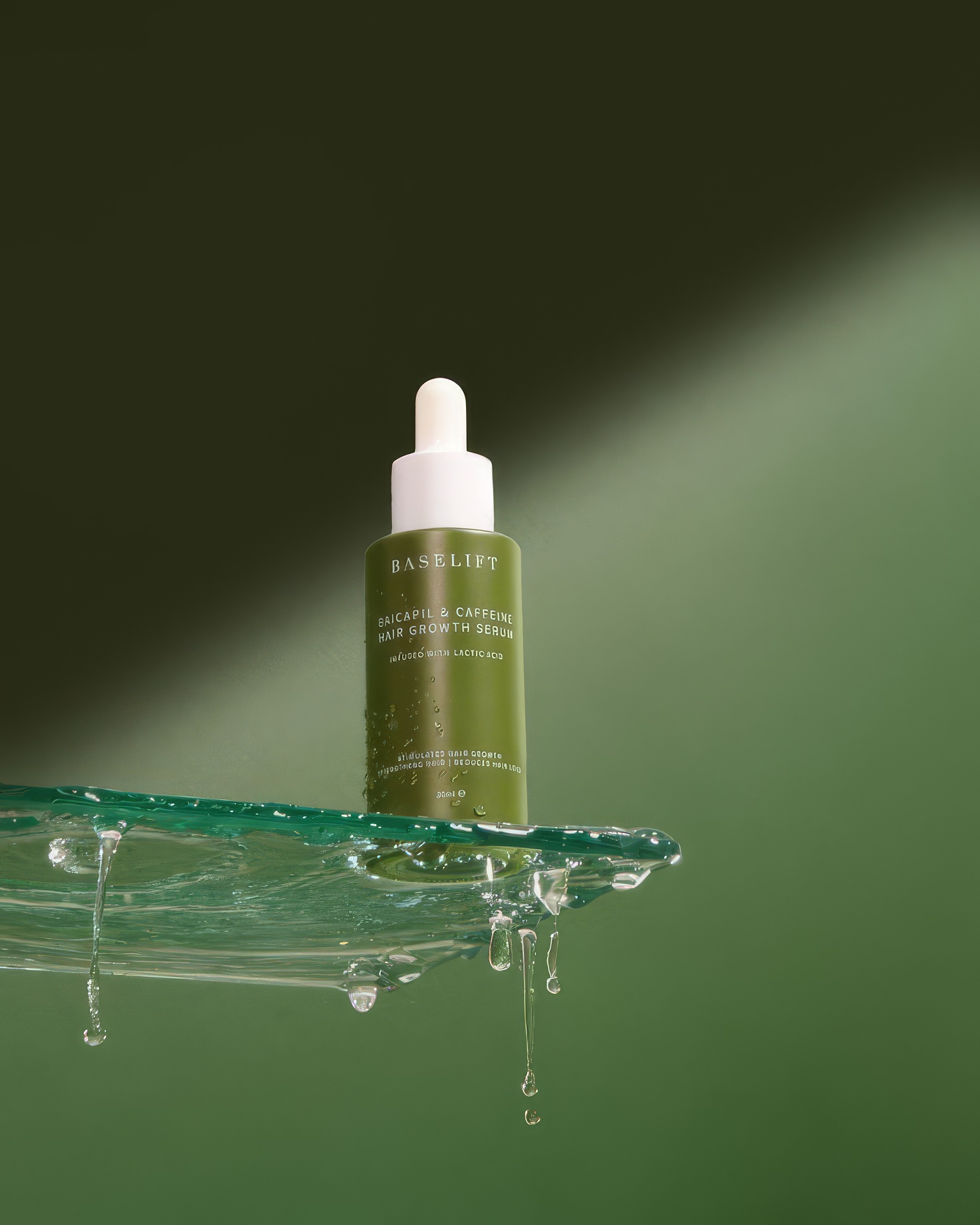
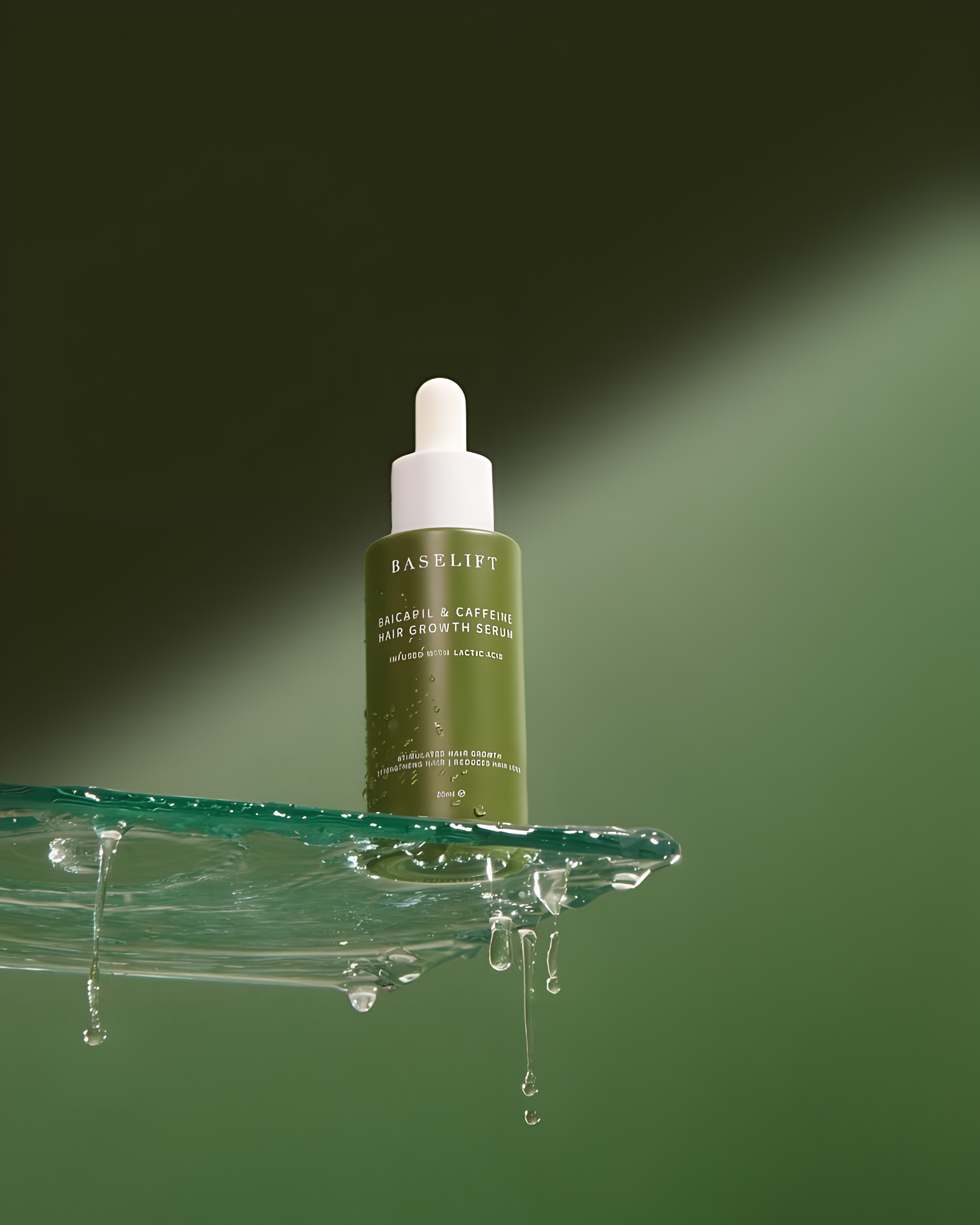
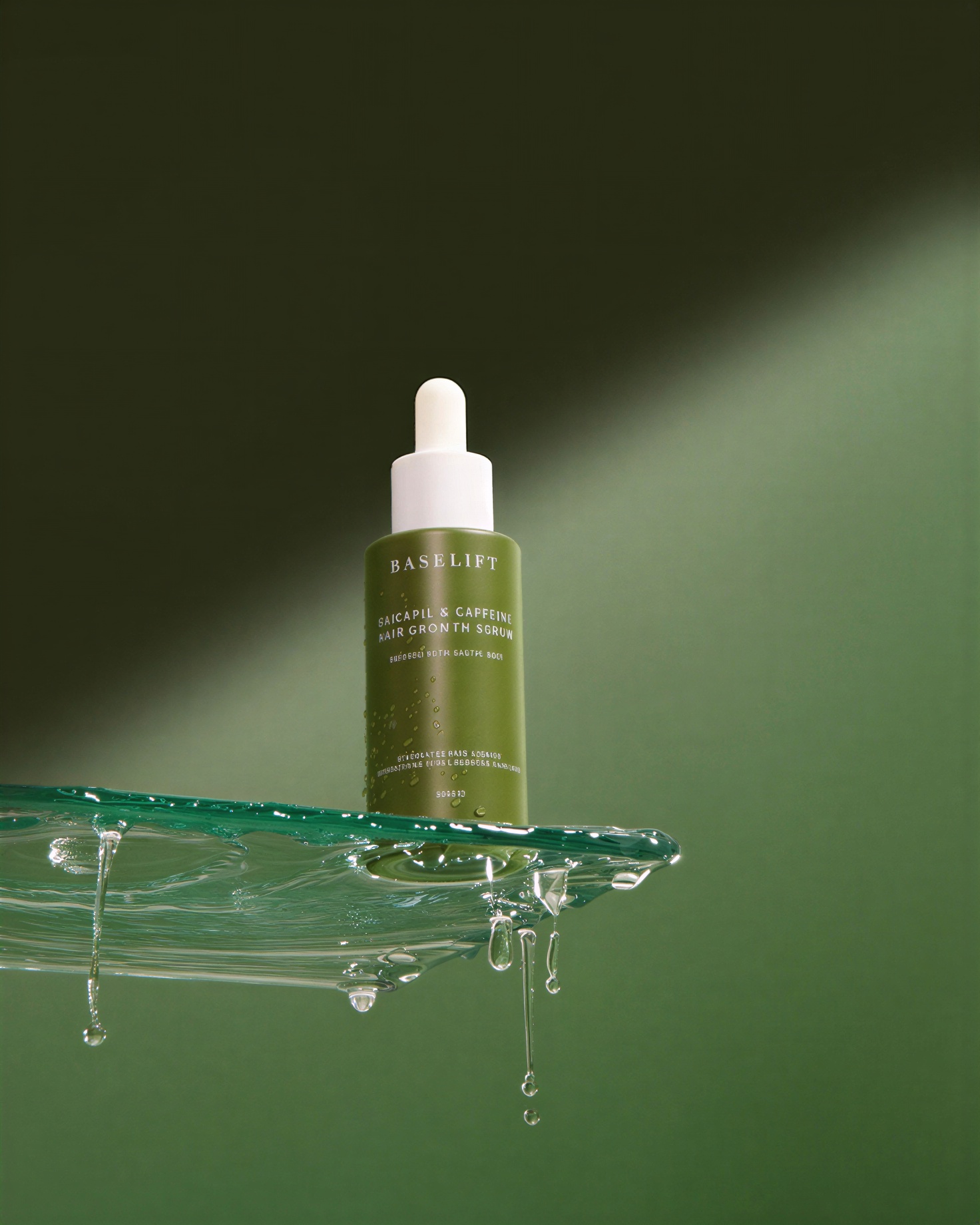
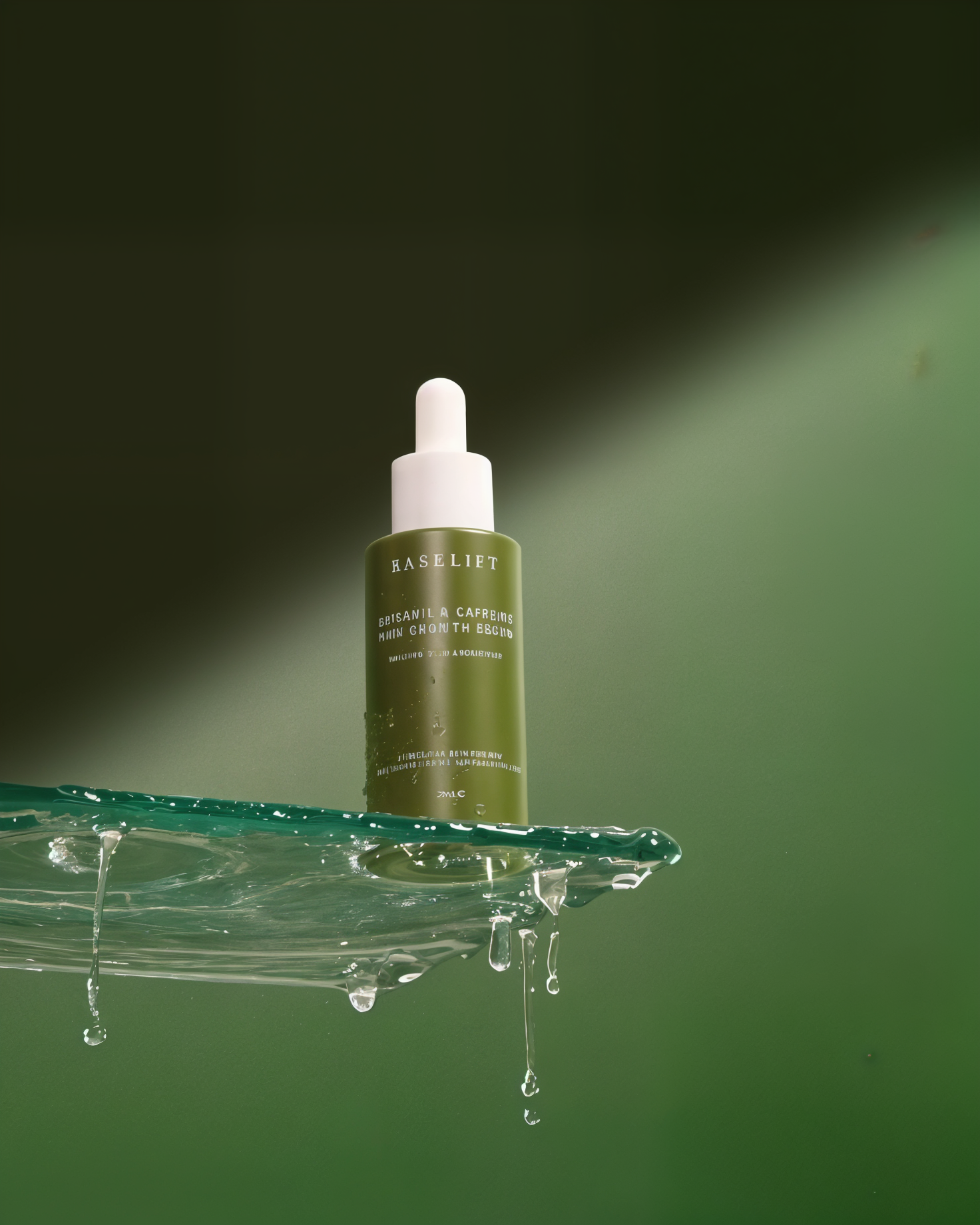
Maintaining text and product sharpness is one of the hardest tasks for upscalers. This is because high-frequency details (like fine print, edges, and micro-contrast) are often lost during the downsampling or generation process. Reconstructing them requires accurate high-frequency hallucination without creating artifacts, a delicate balance that very few models achieve consistently.
Across all the models tested, this category proved consistently challenging: most struggled to retain clean typography, often introducing faint artifacts or distortions in the lettering. Recraft, however, performed slightly better than the rest, maintaining the closest match to the original text while keeping overall image integrity intact. Although none achieved perfect reconstruction, Recraft’s result demonstrated the most stable handling of small product details without compromising realism elsewhere in the image.
Conclusion
AI upscalers are quickly becoming an essential step in any generative workflow and a critical bridge between raw model output and production-grade media. As generation models continue to improve, the quality of an upscaler can make the difference between a good image and a professional output. Selecting the right model for your particular workflow remains a challenge and I hope this post added clarity to your decision.
Stay tuned to our blog, Twitter, or Discord for the latest updates on generative media and the new model releases!